What do RPO Codes Mean?
A Regular Production Option is a General Motors standard coding for vehicle configuration options Each RPO code is a combination of three alphanumeric characters (like Z71) that refers to a specific option or modification to the vehicle as built during production and can be used to identify specific vehicle options or modifications such as paint colors, engine types, interior options, wheel types, etc.
Where are RPO Codes Located?
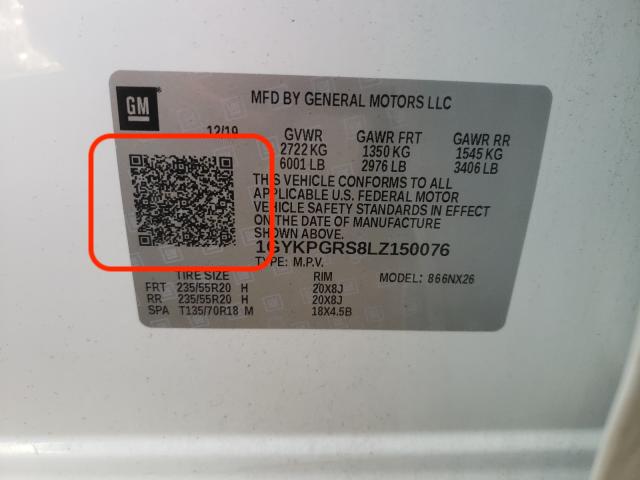
Beginning with the 2018 model year, a QR code was added to the Certification label on all Buick, Cadillac, Chevrolet and GMC models. The new QR code includes the Vehicle Identification Number (VIN), RPO codes and other information that identify the content of the vehicle. In previous model years, the Service Parts Identification (SPID) label, often located in the trunk or glovebox of a vehicle, included this information.
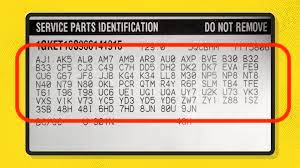
Where are RPO Codes Located before 2018?
RPO codes can be found on a placard labeled "Service Parts Identification" in the glove box, on the trunk floor or inside the driver's door panel.
- Bravada: in the glove box
- Cobalt: on the trunk floor
- Envoy: n the glove box
- Camaro: on the trunk floor
- Rainier: in the glove box
- Silverado/Sierra: in the glove box
Mobile RPO Decoder QR and SPID Reader


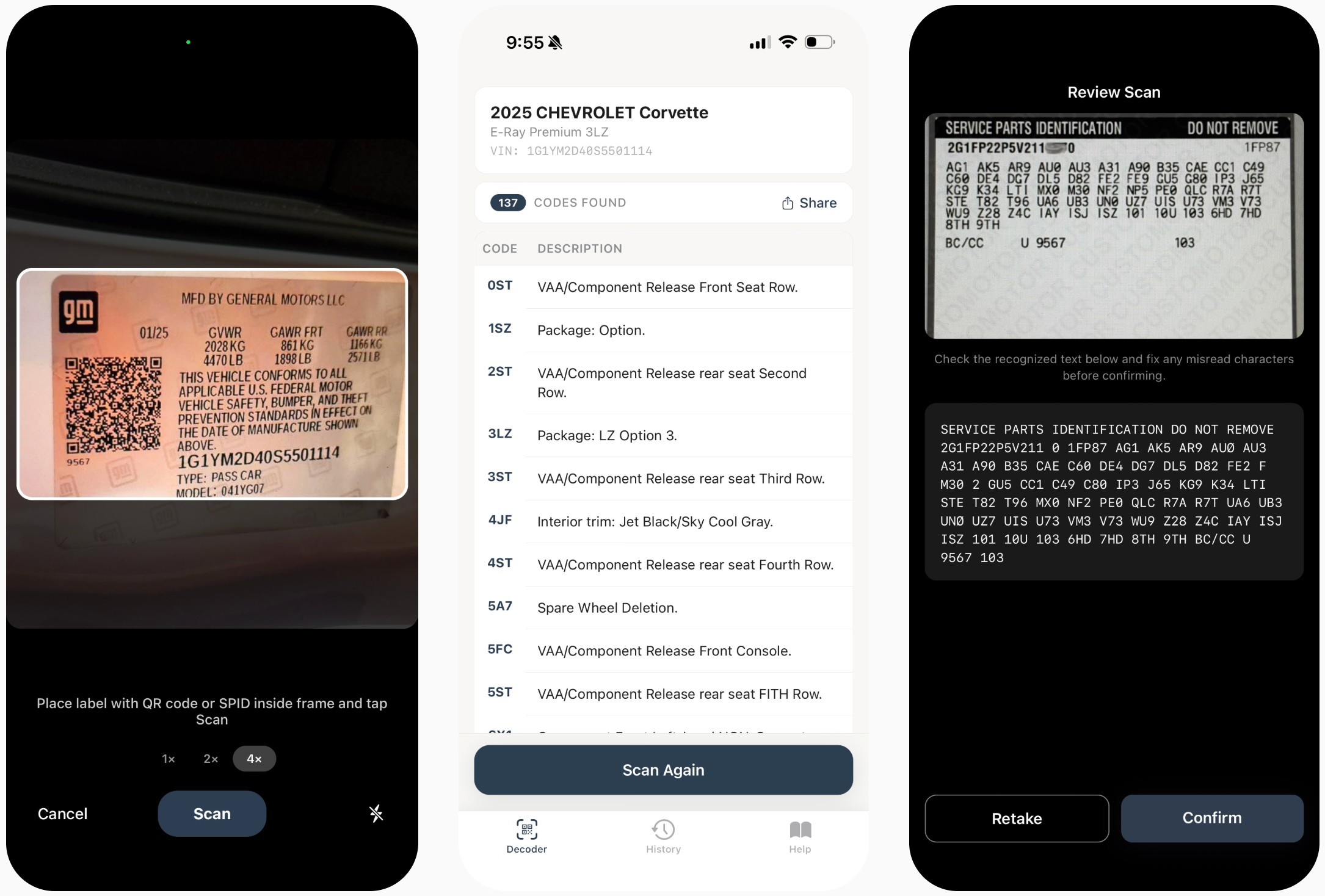
Scan a vehicle QR code or Service Parts Identification label (SPID) and instantly see decoded RPO codes with descriptions on your iPhone or Android device.
Decode RPO is built for GM owners, buyers, enthusiasts, mechanics, and anyone who needs a quick way to identify factory-installed options.
Just open the app, point your camera at the vehicle QR code or the Service Parts Identification label, and get decoded results right away. The app reads the codes and shows their meanings in a clear, easy-to-use format.
What Decode RPO can do
Scan GM vehicle QR codes - Read the QR code directly from the vehicle label and instantly decode the included RPO data.
Read printed RPO labels - Use your camera to scan the Service Parts Identification label with printed text RPO codes.
See RPO code descriptions instantly - Get clear explanations for factory option codes without manual searching.
Fast and simple mobile experience - No copy and paste. No extra scanner app. No complicated workflow.
Built for real-world use - Perfect for checking vehicle options in a garage, at a dealership, at an auction, or during a private sale.
Great for owners, buyers, and enthusiasts
Whether you are verifying vehicle equipment, checking factory options before buying, identifying paint and package information, or simply exploring how a GM vehicle was configured, Decode RPO gives you quick answers right from your phone.
It is a practical tool for:
- vehicle owners
- used car buyers
- dealers
- mechanics
- restorers
- GM enthusiasts
Faster than manual decoding
Decode RPO helps you save time and avoid mistakes by turning labels and QR codes into readable information in seconds. Instead of searching code by code or working through raw data manually, you get a clean decoded result right away.
More tools
Looking for something else? Try our other RPO tools:
- GM Order Guide — browse Chevrolet, Buick, Cadillac, and GMC vehicle models with their available options and packages.
- Git replication mirror github to gitlab lets you mirror GitHub to GitLab, Bitbucket, self-hosted repositories, or cloud storage in real time. Replicate and back up your Git repositories automatically with simple setup and reliable protection.
- GM RPO code articles and guides — in-depth guides on decoding GM RPO codes, factory options, build sheets, window stickers, and VIN lookups for Chevrolet, Buick, Cadillac, and GMC.